Gimkit
Gimkit: The Complete Beginner-Friendly Guide to Playing, Hosting, and Creating Games
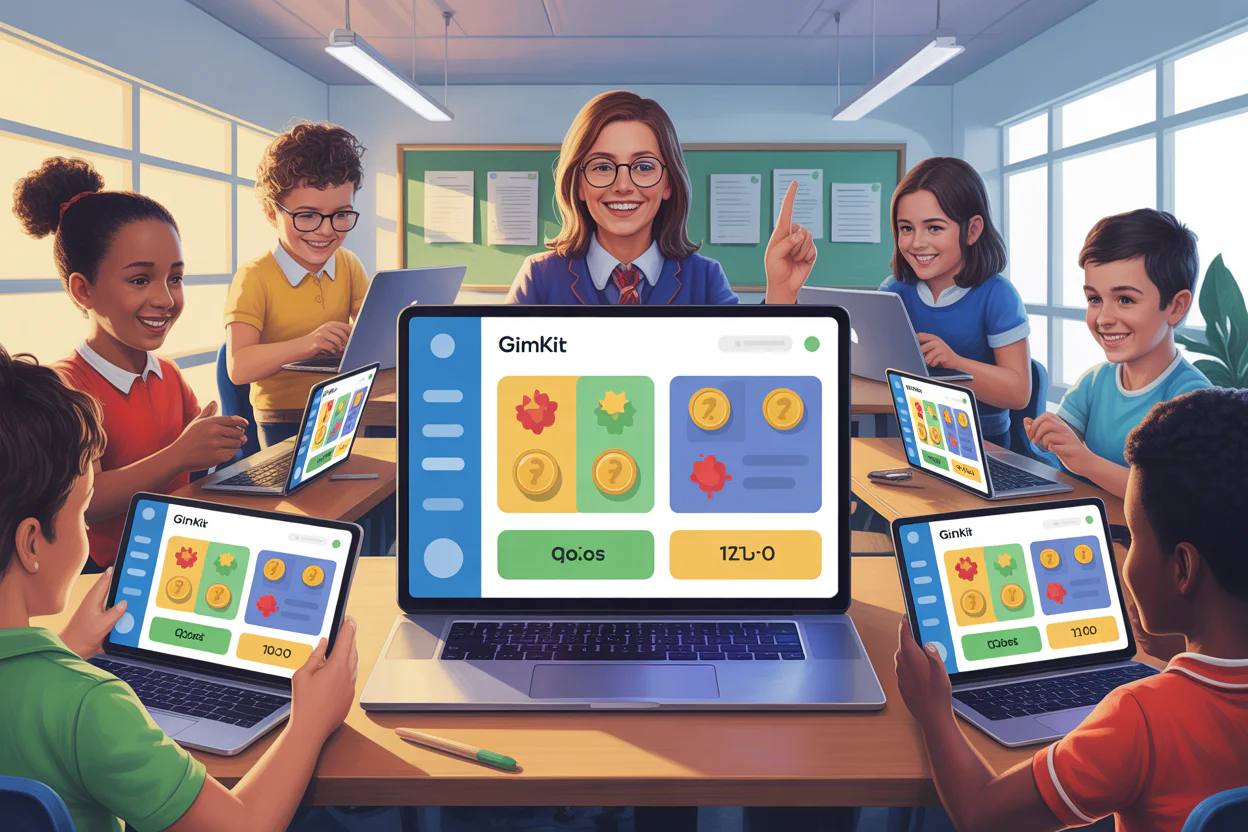
Gimkit is a fun learning game used by teachers and students worldwide. It turns normal classroom questions into exciting live games. Instead of boring quizzes, Gimkit adds money, power-ups, and strategy. That is why kids enjoy it, and teachers love using it.
At its heart, Gimkit is about learning through play. Students answer questions to earn virtual money. They use that money to buy upgrades. These upgrades help them score faster or earn more points. This system keeps students focused and excited for longer.
From my experience, students stay more engaged with Gimkit live games than regular quizzes. Even quiet students start participating. Teachers can track progress easily using the Gimkit dashboard. The platform works on phones, tablets, and computers.
Whether you want to join Gimkit, host Gimkit, or make Gimkit games, this guide explains everything step by step. Even a beginner can understand it easily.
Gimkit
Live Learning Game Show Platform
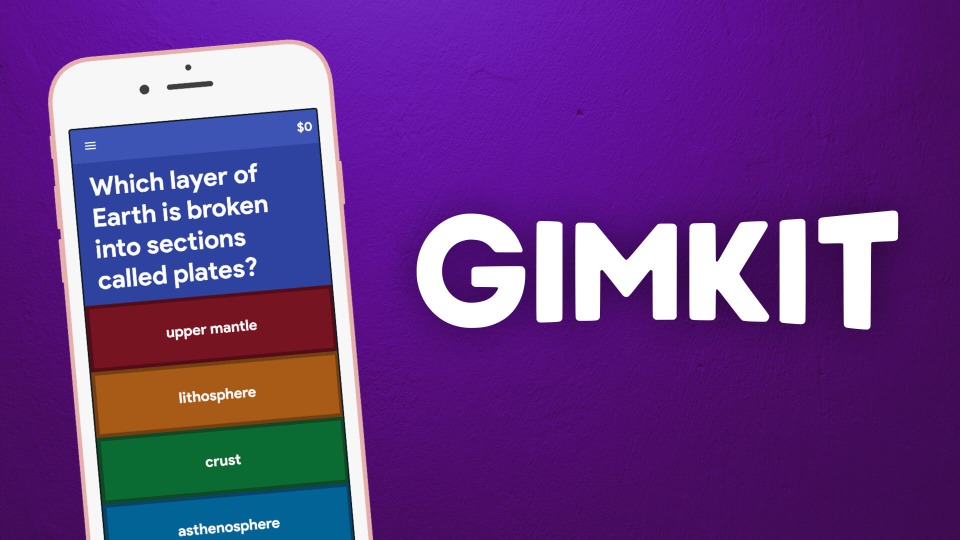
Gimkit is an innovative educational technology platform that transforms classroom learning into an engaging, game-show-style experience. Students earn virtual currency by answering questions correctly, which they can use to purchase power-ups and upgrades, combining knowledge, strategy, and collaboration for memorable learning moments.
| Key Information | Details |
|---|---|
| Founded | 2017 (as a high school project) Official company: 2018 |
| Founders | Josh Feinsilber (Creator & CEO) Jeff Osborn (Co-Founder) |
| Headquarters | Seattle, Washington, United States |
| Industry | EdTech (Educational Technology) | Mission | To build memorable classroom experiences that lead to more effective learning outcomes. |
| Origin Story | Created by high school student Josh Feinsilber in 2017 as a school project to make learning more engaging through gamification. |

Gimkit Founders: Josh Feinsilber (left) and Jeff Osborn
What Is Gimkit and Why Is It So Popular?
Gimkit is an online educational game platform created by a high school student. It was designed to make studying feel like a game, not a chore. Teachers create quizzes, and students play them live or at their own pace.
What makes Gimkit different is its money system. Players earn in-game cash for correct answers. They can then spend that money on power-ups. This adds strategy, not just speed. Students think carefully before answering.
Gimkit home is simple and clean. Teachers can quickly find tools, while students can easily play Gimkit without confusion. The design helps younger users feel comfortable.
Another reason for its popularity is flexibility. You can host Gimkit live in class or assign it as homework. The game modes change often, keeping things fresh.
Because of this balance of fun and learning, Gimkit has become a classroom favorite worldwide.
When Was Gimkit Made? A Quick History
Many people ask, when was Gimkit made and who created it. Gimkit was launched in 2017 by Josh Feinsilber. He was still a high school student when he built it.
Josh wanted a better way to study vocabulary. He noticed that other quiz tools felt boring. So, he created Gimkit as a personal project. Teachers quickly noticed it and started using it in classrooms.
Over time, Gimkit grew into a full learning platform. New game modes, homework options, and reports were added. Today, it is used by millions of students.
This story makes Gimkit special. It was built by a student, for students. That real experience shows in the design. It feels fun because it was created with real classroom struggles in mind.
gimkit keeps students engaged by combining fast-paced questions, strategic choices, and rewards, helping classrooms feel lively while reinforcing lessons through repeated practice and enjoyable gameplay.
How to Join Gimkit Using a Code
Joining a game is very easy. Students do not need an account to play. They only need a code from their teacher.
First, open a browser and go to gimkit/join or gimkit join. You can also type gimkit/live in the address bar. Enter the Gimkit join code shown on the teacher’s screen.
After entering the code, type your name. Then click join. You are now ready to play Gimkit. The game will start when the host begins it.
This simple system saves time in class. Even young students can join without help. That is one reason teachers prefer Gimkit over complex tools.
How to Host Gimkit and Start a Live Game
To host Gimkit, you need a teacher account. Start by visiting Gimkit login and signing in. Once logged in, go to the Gimkit dashboard.
Choose a quiz or create a new one. Click Gimkit host game to start. Select a game mode and settings. A unique Gimkit code will appear.
Share this code with students. They can join Gimkit using their devices. When everyone joins, click start. The game goes live instantly.
Hosting is smooth and fast. I have seen teachers start games in under two minutes. This saves class time and keeps energy high.
How to Create a Gimkit Game Step by Step
If you want to make Gimkit content, the process is simple. Log in and click Gimkit create. Choose to build a quiz from scratch or import questions.
Add your questions and answers. You can include images and explanations. This helps students learn even after wrong answers.
Once done, save the quiz. You can now host Gimkit or assign it as homework. Learning how to make a Gimkit game gives teachers full control.
From experience, custom quizzes work best. You can match your lesson exactly. This improves learning and test results.
Playing Gimkit Live: What Students Should Know
Gimkit live games are fast and exciting. Students answer questions to earn money. They can buy upgrades like multipliers or streak bonuses.
Unlike other games, speed is not everything. Strategy matters. Students must decide when to save or spend money. This builds thinking skills.
Teachers can see progress in real time. The Gimkit dashboard shows accuracy and earnings. This helps teachers adjust lessons instantly.
Live play keeps students focused. Even competitive students stay engaged because everyone has a chance to win.
Gimkit Login, Dashboard, and Home Explained
The Gimkit home page is where everything begins. Teachers access quizzes, reports, and settings here. Students usually do not need accounts.
After Gimkit login, teachers reach the Gimkit dashboard. This area shows past games, performance reports, and quiz tools.
The dashboard is clean and easy to understand. You do not need training to use it. Everything is labeled clearly.
This simple design builds trust. Teachers feel confident using it daily. Students enjoy a smooth experience without distractions.
About Gimkit Hacks and How to Hack Gimkit (Important Truth)
Many students search for Gimkit hacks or how to hack Gimkit. This usually comes from curiosity or competition. However, hacking goes against school rules.
Gimkit has strong security systems. Most so-called hacks do not work. Some can even harm your device or steal data.
Instead of cheating, the best strategy is learning the game mechanics. Smart upgrades and careful answers lead to success. This is safer and more rewarding.
Teachers can also spot unusual behavior easily. Honest play builds skills and confidence. That is the true goal of Gimkit.
Gimkit for Teachers: Real Classroom Benefits
Teachers love Gimkit because it saves time and boosts engagement. You can reuse quizzes and track progress easily.
Homework mode allows students to play Gimkit anytime. This helps with revision and practice. Reports show where students struggle.
From real classroom use, students ask for Gimkit again and again. That demand shows its success.
Gimkit supports learning without pressure. It turns mistakes into learning moments.
FAQs About Gimkit
1. What is Gimkit used for?
Gimkit is used for fun learning through quiz-based games.
2. How do I join Gimkit without an account?
Go to gimkit/join and enter the join code.
3. Is Gimkit free?
Yes, Gimkit offers free and paid plans.
4. Can I play Gimkit alone?
Yes, homework mode allows solo play.
5. Is hacking Gimkit safe?
No, Gimkit hacks are unsafe and not recommended.
6. Can teachers track student progress?
Yes, using the Gimkit dashboard.
Final Thoughts: Why Gimkit Is Worth Using
Gimkit has changed how students learn in classrooms. It combines fun, strategy, and education in one simple tool. Whether you want to join Gimkit, host Gimkit, or create games, the platform makes it easy.
Its student-first design, real classroom success, and clear features build trust. When learning feels like play, students perform better.
If you are a teacher, try hosting a game today. If you are a student, join with confidence. Gimkit proves learning does not have to be boring.
You May Also Like To Read: Janitor AI Apps, Jobs, Status, Plans & Alternatives
About the Author