ps2 bios
PS2 BIOS: The Complete Guide to Downloading, Using, and Understanding It
If you’ve ever dreamed of reliving the magic of classic PlayStation 2 games on your computer or Android device, you’ve probably come across the term PS2 BIOS. Maybe you’ve wondered what it is, why it’s necessary for emulators like PCSX2, or how you can safely get your hands on one. Don’t worry — you’re in the right place!
In this detailed guide, I’ll walk you through everything about the PS2 BIOS, from what it does to how to get it legally, and how to use it with your favorite emulators. Whether you’re a beginner or just want to understand the technical side better, I’ve got you covered.
What is the PS2 BIOS? A Simple Explanation
Let’s start at the beginning. The PS2 BIOS stands for Basic Input/Output System — it’s essentially the “operating system” inside every PlayStation 2 console. When you turn on a PS2, the BIOS wakes up first and tells the console how to start running games.
Think of the BIOS as the PS2’s master controller. It manages how the hardware talks to the software and games. Without it, the console (or an emulator pretending to be a console) wouldn’t know how to boot up, load games, or handle controllers and memory cards.
In technical terms, the BIOS is stored on a chip inside the console’s hardware. When using an emulator like PCSX2, you need a digital copy of this BIOS chip — the PS2 BIOS file — for the emulator to work properly.
Why Do You Need the PS2 BIOS for PCSX2 and Other Emulators?
PCSX2 is the most popular PS2 emulator available today. It lets you run PS2 games on Windows, Linux, and macOS computers. But here’s the catch: PCSX2 doesn’t include the PS2 BIOS files. That’s because the BIOS is owned by Sony and is copyrighted software.
To legally use PCSX2, you need to obtain the BIOS yourself. This is usually done by dumping it from your own PS2 console. The emulator reads this BIOS file and uses it to mimic the PS2’s internal system, so your games can run smoothly on your PC.
Without the BIOS, PCSX2 won’t launch games. You might see error messages or the emulator might just refuse to start. So having the correct BIOS file is essential to enjoying PS2 games through emulation.
What Are PS2 BIOS Files? Understanding the Basics
The PS2 BIOS files are digital copies of the BIOS software inside the PS2 console. These files usually have the .bin extension and can vary in size but typically are around 4 megabytes.
Each BIOS file represents a specific version of the PlayStation 2 system software, usually tied to a region or a particular console model. When you run an emulator, it looks for these BIOS files to simulate the real PS2 environment.
Common filenames you might see include:
- SCPH10000.bin — one of the earliest Japanese BIOS versions
- SCPH39001.bin — a common North American BIOS
- SCPH70012.bin — a European BIOS
You might even see the BIOS referred to as a BIOS ROM — both terms mean the same thing here.
How to Download PS2 BIOS Files Safely and Legally
This is where many people get confused. Because PS2 BIOS is copyrighted by Sony, downloading it from random websites is not legal in most countries. Plus, many sites offering BIOS files can contain viruses or malware.
The best and safest way to get a PS2 BIOS is by dumping it from your own PlayStation 2 console. This means copying the BIOS chip’s contents onto a USB drive or memory card using homebrew software.
If you don’t have a PS2 console, downloading BIOS files from unofficial sources is risky. However, many emulator users still look for PS2 BIOS download links online — just be very careful, scan files with antivirus software, and understand the risks.
PS2 BIOS Regions: USA, Europe, Japan, and More
Sony released different BIOS versions for different regions. This was done to support regional game restrictions and hardware differences. The main regions are:
- USA (NTSC-U/C): Used in North America. Games and BIOS for this region are tailored to the American market.
- Europe (PAL): Used across Europe and parts of Asia. PAL BIOS files handle different video standards than NTSC.
- Japan (NTSC-J): Japanese consoles use this BIOS version, often with slight differences in game compatibility.
If you use a BIOS from a different region than your game, some games might fail to run or have glitches. It’s recommended to use a BIOS file matching the game’s region for best results.
PS2 BIOS on Android: Can You Use It?
Yes! With the rise of powerful smartphones, PS2 emulators for Android have become popular. Apps like DamonPS2 and Play! allow you to play PS2 games on your phone.
But just like on PC, you need the PS2 BIOS file for these emulators to work correctly. You can transfer the BIOS files from your PC or dump them from your console and load them into the Android emulator.
Keep in mind, not all phones can run PS2 games well yet — the hardware requirements are high, and emulator compatibility is improving but still limited.
How to Use PS2 BIOS Image Files in PCSX2: Step-by-Step
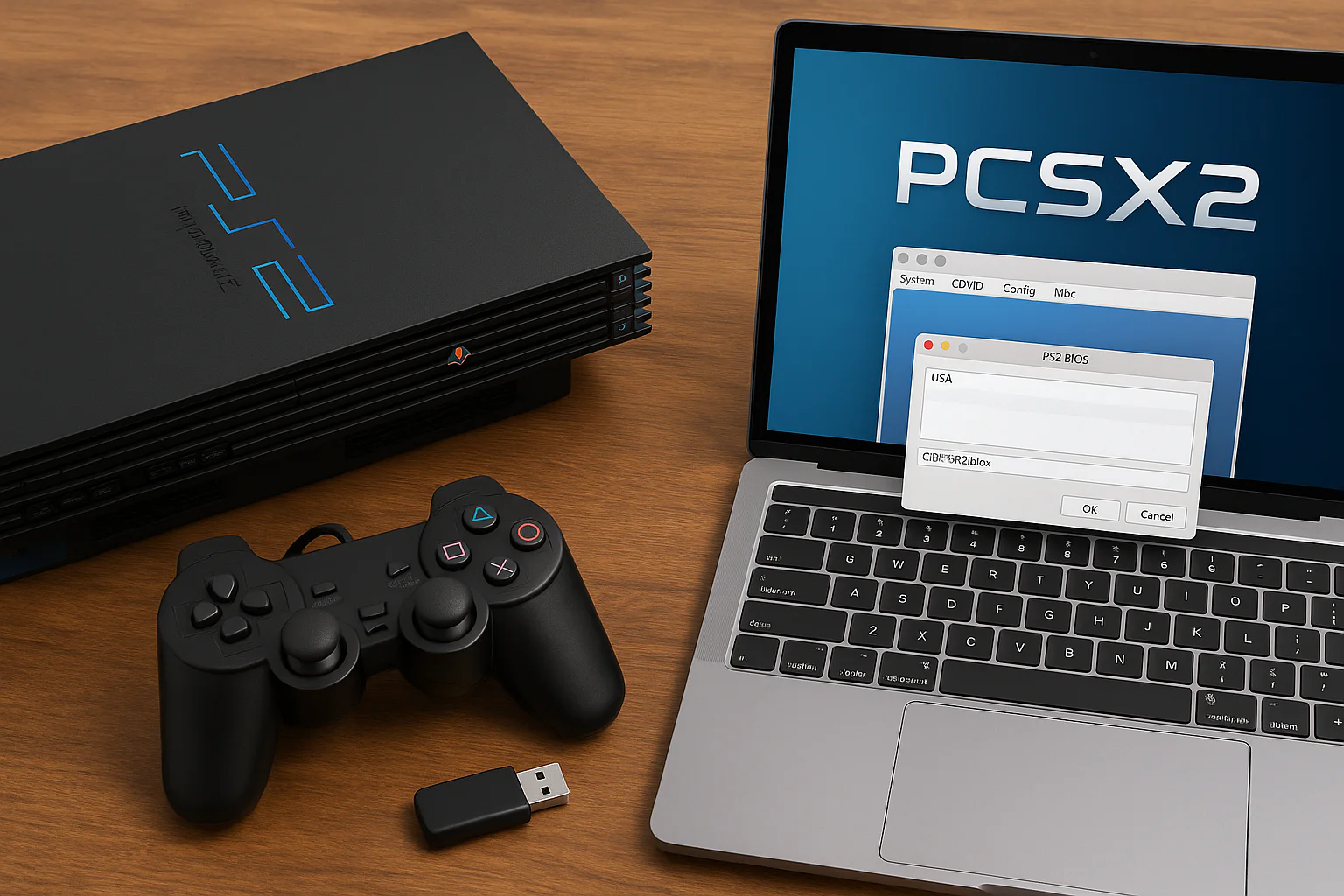
Once you have your PS2 BIOS files, setting them up is easy. Here’s a quick guide for PCSX2:
- Open PCSX2.
- Navigate to the Config menu and select Plugin/BIOS Selector.
- In the BIOS section, click Browse to locate the folder where you saved your BIOS .bin files.
- PCSX2 will scan the folder and show a list of available BIOS versions.
- Select the BIOS that matches your region or preference.
- Click Finish to save the selection.
- Now, your emulator is ready to load and play PS2 games!
If you encounter errors, make sure your BIOS files aren’t corrupted and that you have the right region version.
How to Dump Your Own PS2 BIOS: The Legal and Safe Way
If you own a PlayStation 2 console, you can dump the BIOS yourself, ensuring it’s legal and safe. Here’s what you need:
- A modded PS2 or a PS2 that can run homebrew.
- A USB flash drive formatted to FAT32.
- A BIOS dumping application like BIOS Dumper or Open PS2 Loader (OPL).
The general process:
- Copy the BIOS dumper application to a USB drive.
- Insert the USB drive into your PS2.
- Run the dumper app from your PS2’s homebrew menu.
- The app will copy the BIOS chip contents to the USB drive as a .bin file.
- Transfer the BIOS file to your PC for use in PCSX2 or other emulators.
This method guarantees you have an original BIOS file without copyright infringement.
What Happens If You Don’t Use a PS2 BIOS?
You might wonder: can I run PS2 games without BIOS on PCSX2? The short answer is no.
PCSX2 and other advanced emulators rely heavily on the BIOS to function properly. Without it, the emulator doesn’t know how to load or run games. Some basic emulators or early versions might try to run games without BIOS, but performance and compatibility will be extremely poor.
What Is the Difference Between a PS2 BIOS File and a PS2 ROM?
This is a common question! Here’s a quick explanation:
- PS2 BIOS File: This is the system software needed to run the PS2 or emulator.
- PS2 ROM or Game ISO: This is the actual game data — the digital copy of a PS2 game.
You need both to play games on an emulator. The BIOS boots the system, and the ROM is the game you want to play.
Troubleshooting Common PS2 BIOS Issues in Emulators
Sometimes, even with the right BIOS, PCSX2 may show errors like “No valid BIOS found” or “BIOS is corrupt.” Here are some tips to fix those:
- Check BIOS File Integrity: Ensure the .bin file isn’t corrupted or incomplete.
- Verify BIOS Region: Match BIOS region to your game region.
- Correct Folder Location: Make sure BIOS files are placed in the folder PCSX2 expects.
- Update PCSX2: Use the latest PCSX2 version, as old versions might not support newer BIOS files.
- Use Official Dumps: Avoid BIOS files downloaded from shady sites.
Can One PS2 BIOS Work for Multiple Emulators?
Yes! You can use the same PS2 BIOS file across different emulators, whether PCSX2 on PC or DamonPS2 on Android, as long as the emulator supports the BIOS file format.
Just make sure the BIOS region matches your games and emulator requirements.
How Big is a PS2 BIOS File and What Format Is It?
PS2 BIOS files are usually small — around 4 MB in size. They come in .bin format, which stands for binary. This format is a direct copy of the firmware stored on the PS2’s internal chip.
Why Is the PS2 BIOS Important for Authentic Gaming Experience?
Emulators strive to mimic real consoles, but without the actual BIOS, games might run poorly or incorrectly. The BIOS controls many essential functions like:
- Loading game discs or ISOs
- Handling memory card saves
- Managing video output and controller input
Having a proper BIOS means games behave more like they would on a real PS2.
(FAQs)
1. What is the PS2 BIOS and why do I need it?
The PS2 BIOS is the console’s system software. It tells the emulator how to start games and manage hardware. You need it for PCSX2 or other emulators to work.
2. Where can I download PS2 BIOS files safely?
The safest method is to dump the BIOS from your own PS2 console. Downloading from random websites can be illegal and risky.
3. Does the PS2 BIOS region matter?
Yes. Using a BIOS from the same region as your game ensures better compatibility and fewer errors.
4. Can I use one BIOS file for different emulators?
Yes, as long as the emulator supports the BIOS file format, one BIOS can be used for multiple emulators.
5. How do I set up PS2 BIOS on PCSX2?
Open PCSX2, go to the BIOS section, browse to your BIOS folder, select the BIOS file, and save your settings.
6. Is dumping my own BIOS difficult?
It requires a modded PS2 and some homebrew software, but many online tutorials can help guide you step-by-step.
Final Thoughts: Bringing the PS2 Experience to Your Device
The PS2 BIOS is the heart of any PlayStation 2 emulation setup. Without it, your favorite games won’t run, no matter how powerful your PC or phone is.
If you want a smooth, authentic PS2 gaming experience on PC or Android, invest time in understanding the BIOS and obtaining it legally. Dump your own BIOS if possible, or proceed carefully if downloading online.
With the right BIOS and emulator setup, you can enjoy thousands of classic PS2 games, from God of War to Shadow of the Colossus, all from the comfort of your modern device.
Got questions or need help with BIOS dumping or PCSX2 setup? Just ask—I’m here to help you game on!
About the Author